Honest rankings for Tesla Model 3 and Model Y accessories.
Sentry / dashcam · 2026
Sentry Mode and Dashcam Storage for Tesla
3Ylist pick: No Best Overall SKU. The jobs split.
3Ylist pick: No Best Overall SKU. The jobs split.
Best for: Tesla includes a factory USB drive for Dashcam and Sentry Mode, but we recommend upgrading it. Frequent Sentry → high-endurance 256GB microSD + USB-A reader (or 1TB SSD class for Tesla's ~24h RecentClips buffer). Casual only → the factory stick is fine until it dies.
Why it ranks: Climate, 24-hour buffer, and glovebox volume split the field. Crowning T7 Shield or the factory stick would fake a default we have not owned and tested.
Does not fit: Console USB-C is usually charge-only. Plug the glovebox USB-A data port.
Two jobs, not one SKU. Tesla ships a factory USB and does not require an SSD — but for frequent Sentry, a quality SSD (or endurance microSD kit) is the better long-term storage. We are not crowning a live #1 until we own and test the kit in a Juniper glovebox.
Tesla's written bar is small: ≥ 64 GB, ≥ 4 MB/s sustained write, USB 2.0 compatible, format exFAT (or MS-DOS FAT / ext3 / ext4) with a root folder named TeslaCam. NTFS is not supported. Tesla does not require an SSD, IP65, or 1,050 MB/s.
Usable capacity. Small drives loop as low as ~1 hour of RecentClips. Tesla documents up to 24 hours on 1 TB or more (software-gated; confirm on your car).
Endurance. Sentry rewrites the same cells. Dashcam-rated cards publish hours/TBW. T7 Shield has no published TBW — 3-year warranty only.
Heat. A parked glovebox in sun is not a desk. Card class is often −25°C to 85°C. T7 Shield is 0–60°C case temperature, airflow recommended.
Write workload. 4 MB/s is the floor. Extra SSD speed becomes controller heat, not extra saved frames, on a USB 2.0 port.
Reliability. Owner reports split: years of T7 success and heat deaths; stacks of dead cards and readers. Treat forums as split, not a landslide.
Physical size. Factory stick and a short reader disappear in the port. Shield is 88 × 59 × 13 mm plus a cable. We do not have Juniper closed-door photos.
USB interface. Glovebox USB-A is the recording port on cars we could document. Console USB-C is usually charge-only after ~Nov 2021. No USB hub (Tesla manual).
Formatting. In-car Format USB Drive. One partition. Encryption off on SSDs.
Value. Endurance 256GB + reader is a ~$50–70 kit in Sep 2026 research. T7 Shield 1TB was $287.99 on Samsung US. Pay SSD money for the 24h buffer, not for speed.
Who should buy what
Best Overall is a gap. No single SKU. Climate, whether you want the 24-hour buffer, and glovebox volume split the field.
Three jobs — not a ranked #1 / #2 / #3
Job
What to buy
Why
Run Sentry regularly, do not need 24h rolling footage
Purpose-built NAND, 85°C card rating, ~$50–70, tiny. Research path — not a live Pick.
Want Tesla's 24h buffer (1 TB+)
1TB portable SSD class (cheapest T7 that includes USB-A; Shield is optional rugged)
Tesla manual: 1 TB → up to 24 hours. Speed spec is wasted on USB 2.0.
Casual / mostly dashcam while driving
Keep the factory 128GB stick until it dies
Already in the port, USB-A native, free. Not automatic #1.
High-endurance path (research — not a live #1)
Card plus a USB-A reader. It isn’t our #1 pick. 256GB does not unlock Tesla's 24-hour buffer. The reader is the weak link.
SanDisk MAX Endurance 256GB (SDSQQVR-256G-GN6IA) is the co-equal class: 120,000 hours, −25°C to 85°C, 15-year warranty on 256GB. Slightly fewer published hours, longer warranty. Either card is the right class. Do not confuse it with SanDisk High Endurance (~10,000 hours, 2-year). No MAX buy button — class only.
High-capacity option (1TB / 24h buffer)
Updated Sep 6, 2026 · 1TB SSD class · not Best Overall
Tesla's clean argument for SSD money in 2026 is the 1 TB → up to 24 hours rolling buffer. We list Shield because it includes a USB-C-to-A cable. Cheapest T7 with USB-A in the box is often enough. IP65 is not a Sentry feature.
Also
High-capacity option
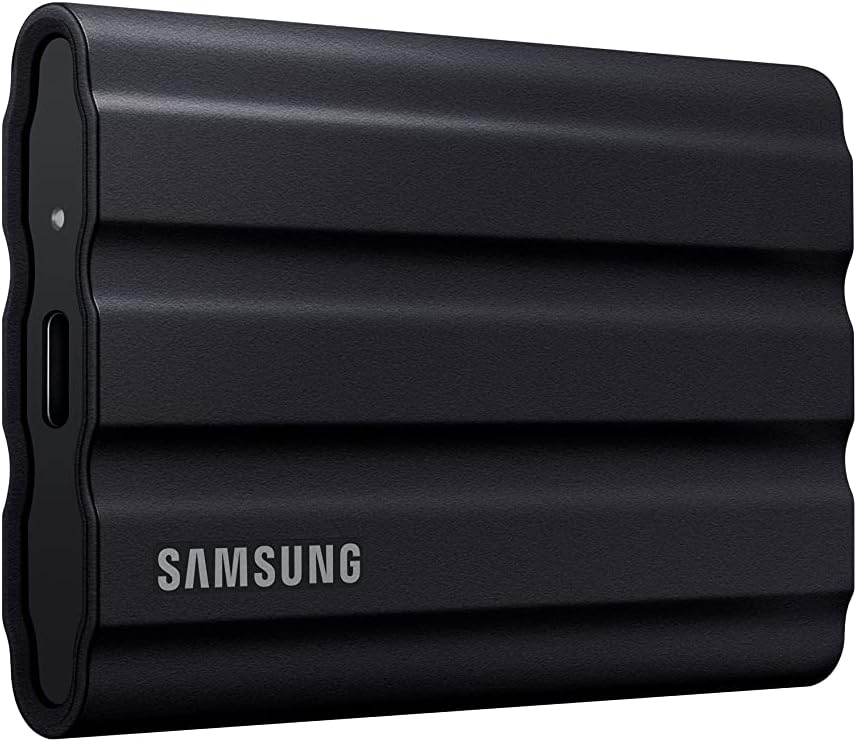
Samsung T7 Shield 1TB
Evidence: Moderate
1TB portable SSD class for Tesla's 24h buffer — not Best Overall. Heat, USB 2.0, and price caveats.
SamsungMU-PE1T0S/AMabout $288 at the maker, Sep 2026
✓ Fits: glovebox USB-A job on any Model 3 or Y we could documentConsole USB-C is usually charge-only. We have not confirmed Shield + cable in a closed Juniper glovebox.
Last verified: September 6, 2026
Watch out. Tesla's port is USB 2.0 — 1,050 MB/s is wasted and becomes heat. Operating 0–60°C case, not automotive 85°C. No published TBW. 3-year warranty. IP65 / drop rating is the wrong spec for a locked glovebox. Leave Samsung encryption off. Maker list ~$288; Amazon featured offer was noisy — confirm MU-PE1T0S/AM on the box.
Listed 1TB SSD option with a USB-A cable in the box. Not a sole pick. Not Best Overall.
Universal · glovebox USB-A via included C-to-A cable
Model MU-PE1T0S/AM. 1 TB is the capacity Tesla now documents for a 24-hour rolling buffer. Box includes USB-C-to-C and USB-C-to-A. Samsung does not call this a Tesla Sentry drive. 88 × 59 × 13 mm, 98 g, plus the cable — a brick next to a factory stick. Owner threads split (years in hot cars vs dead in under two years). We are not claiming it fits a Juniper glovebox closed. Do not buy Shield for IP65 rain/drop theater. Cheapest T7 1TB with USB-A cable is the same class if the price delta is real that week.
Factory stick — good enough for casual
Recent US Model 3 / Y cars usually ship a Tesla-branded USB-A stick already in the glovebox — historically a Samsung BAR Plus rebadge, 64GB in the 2020–21 era, 128GB later. It meets Tesla's minimum spec. It is the wrong buy if you run Sentry a lot or want 24 hours of RecentClips.
Keep it if you barely use Sentry and only care about last-hour dashcam. USB-A native, tiny, already formatted, $0.
Replace it when the dashcam icon goes yellow or missing, or when you want endurance / 24h.
Do not buy a Tesla-logo stick at a markup. A retail BAR Plus is a form-factor upgrade, not an endurance upgrade.
Tesla Shop 1TB SSD (2023, ~$350) did not return a usable product page in the Sep 4, 2026 research pass. Treat as unconfirmed. Not listed.
Not #1. Not an Amazon card. Do not rank factory USB just because Tesla shipped it.
Format USB Drive
Plug into the glovebox USB-A data port. Not console USB-C. Not a rear charge port.
On the car: Controls → Safety → Format USB Drive.
The car writes exFAT and a TeslaCam folder. That erase is the point. One partition only.
On a T7-class SSD: leave Samsung password / hardware encryption off. Encrypted volumes are a common "car won't see the drive" cause.
Do not use a USB hub. Tesla: do not connect multiple devices via hub.
NTFS is not supported. Track Mode, if equipped, wants a TeslaTrackMode folder — Format USB handles the dashcam layout.
Heat and glovebox notes
T7 Shield's datasheet is 0–60°C case at the hottest point, with "sufficient airflow recommended" under heavier workload. A parked glovebox in sun routinely challenges that. High-endurance microSD cards in this class are rated −25°C to 85°C. Compact USB readers often have no published automotive temperature — that is usually the weak link in a two-piece kit.
Owner reports go both ways: T7 in hot climates for years, and T7 dead in under two years with a yellow dashcam icon. Cabin Overheat Protection helps a cabin; it does not make Shield automotive-rated.
Size: Shield is a brick + cable. Factory stick and a short reader sit in the port. Highland / Juniper gloveboxes are tighter than older 3/Y. We have not photographed fit on a 2026 Juniper. Do not take a closed-door claim from this page.
Power: glovebox USB is picky. Faster NVMe-class portable SSDs can drop on wake. Extra speed is not extra reliability here.
Frequently asked questions
Do I need a 1TB SSD for Sentry?
No. Tesla's minimum is 64GB, 4 MB/s sustained, USB 2.0. 1TB is for the documented ~24-hour RecentClips buffer. If you run Sentry a lot and do not need that buffer, the endurance 256GB kit is the research path. Casual use: keep the factory stick.
Is the factory USB stick good enough?
Tesla includes it and it works for light dashcam and rare Sentry — keep it until it dies if that is you. For frequent Sentry use, upgrade: the factory stick is too small for Tesla's 24h buffer and is not dashcam-rated NAND. A quality SSD (or endurance microSD kit) is the better long-term storage.
Where do I plug it / how do I format?
Glovebox USB-A data port, not console USB-C (usually charge-only after Nov 2021). Controls → Safety → Format USB Drive. One partition, exFAT + TeslaCam. No USB hub. Leave SSD encryption off.